ResultsManager 4
ResultsManager for MindManager is back! Simple, fast & effective task management across multiple MindManager Maps.
Now updated to work with MindManager 24, MindManager 25 & MindManager 26.
ResultsManager 4 – The original Project & Task Tracking Add-in For MindManager Is Back!
ResultsManager 4 brings a refreshed experience to project and task tracking in MindManager. It helps you collect activities across linked maps and bring them together in dashboards, giving you a clearer view of your work.
The refactoring has focused on usability and reliability. Larger task pane text, improved spacing and updated ribbon icons make everyday commands easier to read and use. The interface also handles different screen sizes more comfortably, reducing the need for manual resizing.
Installation has been improved too. One installer supports MindManager 23, 24 and 25, detects the installed versions and lets you choose where ResultsManager will be available. Example maps and templates are placed in their intended locations, helping you get started.
These improvements build on ResultsManager’s established approach: keep project information in your maps, then use queries to turn task details—such as priorities, resources, contexts and dates—into useful views for planning and review.
ResultsManager 4 is still undergoing refactoring and broader testing. Click the link above to register for the upcoming beta programme and be one of the first to try this updated version.

Why Use ResultsManager!
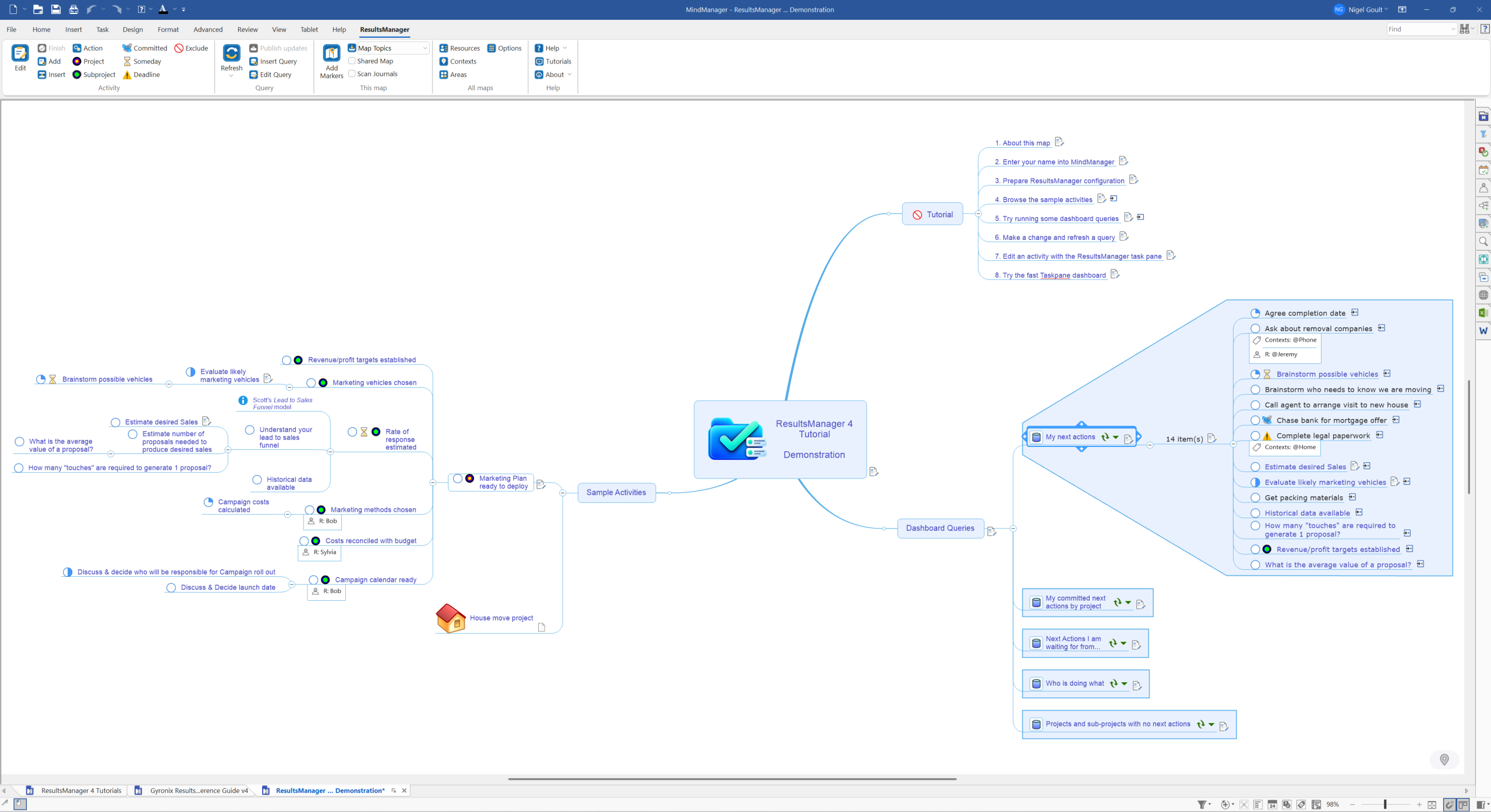
ResultsManager 4 helps you turn your MindManager maps into a practical system for managing projects and tracking tasks. Keep actions alongside the ideas, decisions and supporting information that give them meaning, then bring those actions together in dashboards for planning and review.
As your work grows across multiple maps, ResultsManager helps you maintain an overview. It collects activities from linked project maps, so you can review work across several projects without opening and checking each map individually.
Use priorities, resources, contexts, start dates and due dates to organise your activities. Dashboard queries let you view that information from different perspectives, helping you decide what needs attention, what to work on next and which commitments need reviewing.
For project management, this connects the wider plan with the individual actions needed to move it forward. You can develop a project visually in MindManager while using ResultsManager to keep its tasks visible alongside your other responsibilities.
The benefits include:
-
A clearer overview: bring activities from multiple maps into focused dashboards.
-
More informed priorities: review tasks using dates, priorities and other activity details.
-
Tasks with context: keep actions connected to their project information.
-
More useful reviews: compare dashboard views to spot work that needs attention.
-
Flexible organisation: use queries to organise work around your projects and working habits.
ResultsManager 4 builds on MindManager’s visual approach, helping you move from capturing and planning work to keeping track of the actions that deliver it.
New Features!
ResultsManager 4 updates the familiar project and task tracking add-in with a clearer interface, refreshed graphics and improved installation.
Improvements include:
-
MindManager 23, 24 and 25 support through one installer.
-
Installation choices so you can select which installed MindManager versions use ResultsManager.
-
Improved upgrades and repairs that preserve your selected versions.
-
Larger task pane text for easier reading.
-
Better spacing and layout to reduce overlapping controls at different screen resolutions.
-
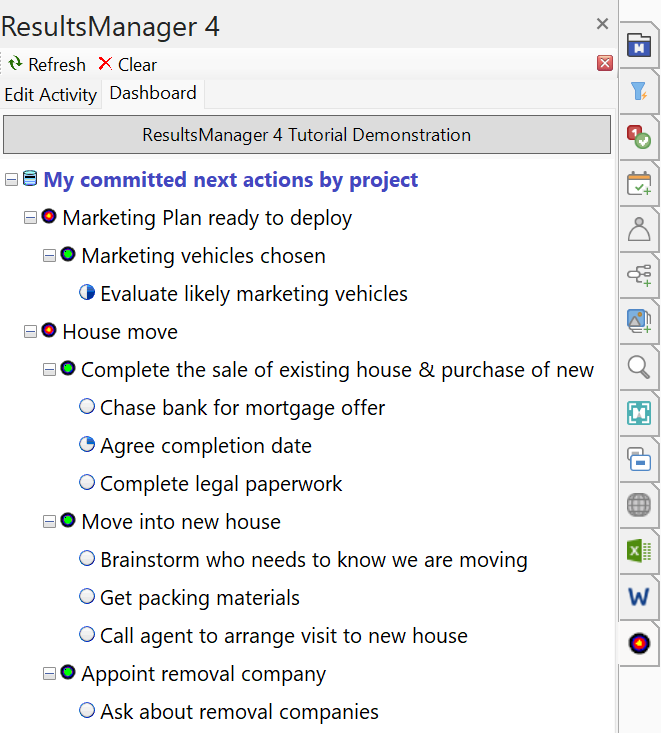
Improved Dashboard tree with larger text and more space between options.
-
Automatic task pane width to make longer dashboard entries easier to see.
-
Fully visible “This Map” dropdown without manually enlarging the list.
-
Modern ribbon icons and refreshed branding, including splash screen and installer graphics.
-
More reliable installation of examples and templates, placing them in the intended folders.